























Trusted by industry leading partners
Trusted by industry leading partners
01
Fully populated models before coordination begins
Generate clash-free, constructable 3D models in hours instead of weeks.
02
Deliver on demanding projects
Route miles of conduit in one shot on complex builds like data centers, hospitals, and schools.
03
Multiply your modeling team’s capacity
Spatial AI slashes modeling time, empowers VDC teams to increase productivity, and take on more work.

How it works
Set up
IMPORT YOUR MODEL DIRECTLY FROM REVIT
Define to's and from's using your existing conduit run schedules. Catch and fix missing equipment and naming errors, cutting QA time from hours to minutes.
GUIDE
Set Fly, No-Fly Zones and Project Specs
Define preferred routing pathways and keep-out zones. Set project specifications such as spacing, clearances, minimum raceway heights.

CREATE
GENERATE CLASH-FREE ROUTES
ACP analyzes the site, finding clash free, supportable and optimal pathways for your racks. Compare multiple solutions for powerful value engineering. Generation happens in the cloud, so your team keeps working.
REFINE
ITERATE AND COORDINATE
Steer, edit, and re-route your solution, with ACP as your co-pilot. Realtime clash detection lets you resolve conflicts without leaving the platform, from first population to design lock.
EXPORT
EVALUATE AND FINALIZE FOR PREFAB
Coordinate inside ACP, then export system conduit to Revit. Once in Revit, use our color-coded analysis tools for QC and Augmenta’s conduit editing suite (or other 3rd party modeling tools like Evolve) to get models construction-ready.
Features
Case Study
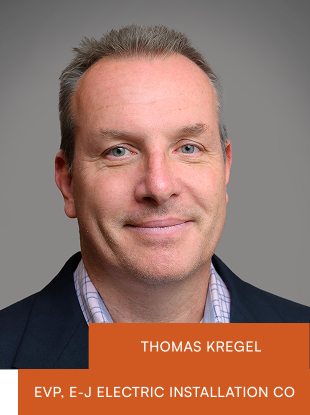
Hyperscale Data Center Model Accelerated By 8.5x Using AI
“Our partnership with Augmenta is transforming how we deliver large-scale projects. The 8.5x increase in modeling speed achieved on our most recent project represents a step change in efficiency and quality.
By automating time-intensive modeling tasks, our teams can focus on coordination, shop drawings, and prefabrication, allowing us to deploy larger numbers of field craft earlier in the project."
Meet the team
Dedicated support from industry vets
Deploy with confidence knowing that you’re working with a team of experts in electrical, construction, and project management.
Application Engineering Manager

Senior Application Engineer

Senior Application Engineer
%20-%20B%26W.png)
Senior Electrical Product Owner

Training & Documentation Manager

Application Engineer

Application Engineer
%20-%20B%26Wpng.png)
WHAT YOU SHOULD KNOW
Frequently asked questions
Can we customize it to our standards?
Yes. You define spacing rules, support methods, clearances, and routing preferences.
Does ACP work for underground, or just overhead conduit?
Both. ACP 2.0 covers overhead, underground, and in-slab in one workflow. Underground routing was one of the most consistent requests we heard from contractors across every project type and firm size, and ACP 2.0 delivers it. Define pathways, set pitch and slope, and generate detailed conduit without switching tools. For contractors already routing underground in Revit, Augmenta handles the same scope faster and with less effort.
Does ACP work with Evolve, Excel, and SysQue?
Yes. ACP reads your existing conduit schedules, and exports native Revit elements that work with your downstream tools.
How accurate are the routes?
ACP generates clash-free routes that account for spacing rules, clearances, and code requirements. You still review and adjust, but you're starting from 90% populated.
How does ACP handle clashes?
Clash detection runs live against the full 3D background as you work. Duct, pipe, structure, and all trade models are visible while you're routing and editing. By the time anything reaches Navisworks, most electrical conflicts are already resolved. The back-and-forth between modeling and coordination is now significantly shorter.
How does licensing work? We have a large team.
Company-wide licensing. One agreement covers unlimited users and unlimited projects. Anyone logs in from a browser, no Revit license required.
How do I get from a coordinated model in ACP to something fabrication-ready?
When you're finished in ACP, export your system conduit to Revit. From there, use Augmenta's color-coded analysis tools to visually validate the model, and our conduit editing tools to handle the remaining cleanup (trimming, spacing, swapping, parameter mapping, and more) in a few simple clicks. The suite works alongside third-party tools like Evolve if your team already uses them.
How is this different from what we're already doing in Revit?
Revit is where your model and drawings live. ACP (Augmenta Construction Platform) is where the routing and coordination work happens before you finalize for construction. Import your model, route and coordinate in ACP, resolve clashes in real time, and export clean constructible output back to Revit when you're ready. Work that used to take weeks takes hours, in one tool instead of three.
How long does it take to get up and running?
In most cases, the learning curve is just a few hours. The platform is built specifically for electrical VDC work, and most teams are productive on their first project without extended training.
We have seen or tried Augmenta before. What has changed?
ACP 2.0 was built from close collaboration with contractors in the field, and reflects what that community told us they needed most. A lot has changed since we launched V.1 last fall. We rebuilt the core routing engine based on auditing hundreds of miles of generated raceway across real projects, so the output quality has only gotten better. And we’ve built a new interactive workflow so editing and finalizing designs for fabrication is significantly faster. Preconstruction teams can now see results, make adjustments, and re-generate quickly and stay in front of project timelines.
What does the actual workflow look like?
Import your background model and conduit schedule from Revit. Steer, adjust, and edit directly in ACP, generate detailed designs, and then export fully-populated models to Revit when you're ready. When changes come in, catch new clashes and rerun the affected sections without starting over.
What does the iterative coordination workflow look like inside ACP 2.0?
Once your model is generated, you stay in ACP to steer, edit, and re-route directly. Real-time clash detection runs against the full 3D background as you work, so conflicts with duct, pipe, and structure get resolved without jumping to another tool. The process runs from first population through design lock, in one place.
What happens when design changes come in mid-project?
Adjust the affected routing sections in ACP and rerun. Pull in updated background geometry so clashes appear and can be easily resolved with interactive routing; you sketch in rough ideas and ACP handles the detailing. What used to be a multi-day rework cycle compresses significantly.
What if we're already using another tool?
We've worked with teams transitioning from other coordination platforms. The real question: is your current manual workflow tedious? If so, ACP 2.0 can save you time.
What project types is ACP built for?
Customers use ACP on everything from straightforward warehouse layouts to hyperscale data centers. Simpler projects get done faster, and complex, dense jobs with tight coordination requirements get the full benefit of automated routing and real-time clash detection. The platform scales to the job, and your preferred workflows.
What's the learning curve?
Most VDC teams are running projects in ACP within two weeks. We provide hands-on training and don't leave until your team is comfortable.
Will this slow us down while we learn it?
No. Cloud processing means ACP runs in the background while your team keeps modeling. First project might take a bit to learn some of the steps. By the second, you're saving time and getting hours back for higher-value tasks.

